Built for the person who runs Sunday on a volunteer's time.
Some of this is built and in testing. Some is on the way. Each section says which, so you never have to guess. Nothing here is open to churches yet: we are launching with founding churches.
Built, in testing launching with founding churches Coming next designed, not finished
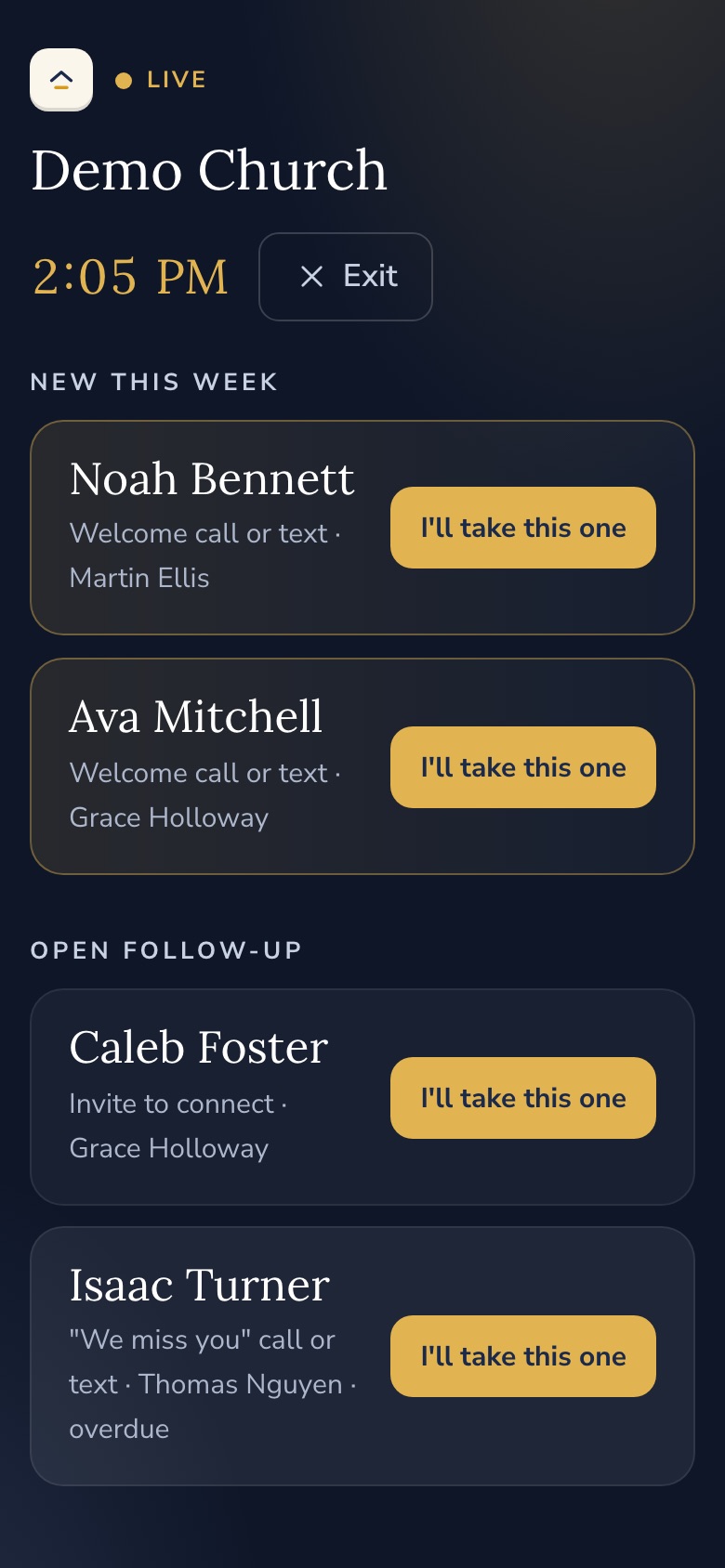
Follow-ups you can undo.
A follow-up in Chapelbook is a card for one person, moving along a path you design. Each step has a name on it. Mistakes are fixable, because a church is made of people, and people tap the wrong button.
- Undo your last move for 10 minutes
- Send back to any earlier step, with a reason. Whoever did that step is told why
- Reopen a finished card at the step you choose
- Pass to the next person on the step's list, or skip a step
- Notes travel with the card, so each person sees what came before
- Every move is kept in the card's history, and edits are added to it, never written over it
- If a step goes overdue: a reminder, then the owner is told, then (if you turn it on) it passes on
- Seven starter paths: first-time guest, second visit, baptism, membership, hospital and prayer care, new volunteer, and missing three weeks
For comparison: Tithely's help pages describe Breeze's Follow Up Progression as completing one follow-up and the next being assigned, and say notes do not carry to the next task. They do not describe a way to send a person back a step.S1
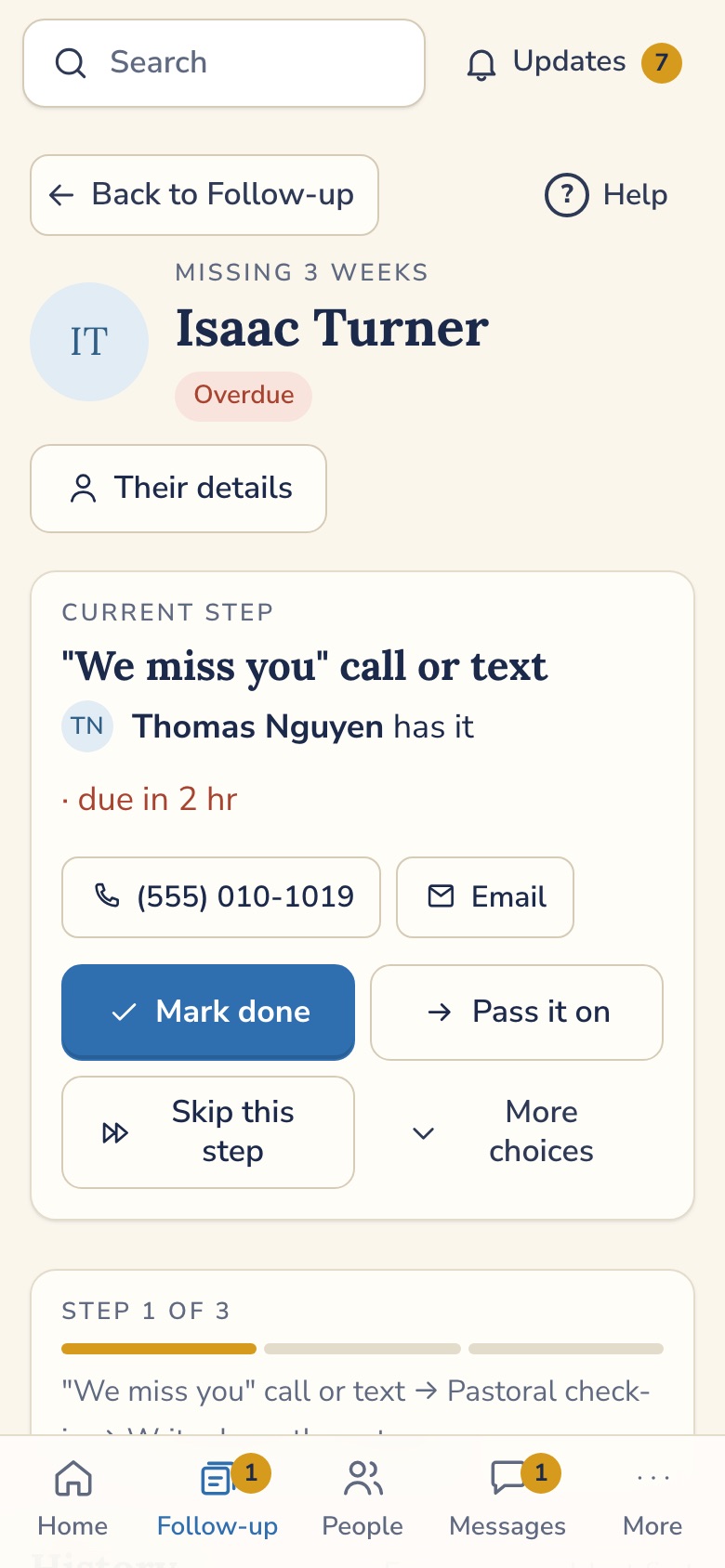
A live lobby board for Sunday morning.
Put a tablet by the welcome desk. New guests show up as they sign in. Tap a card to claim it: "I'll greet the Bennetts." Everyone else sees it move.
- Leaders see first name and last initial only
- Pastoral care paths stay off the board unless you choose otherwise
- Updates on its own every few seconds
When a volunteer says no, the next person gets asked.
Most volunteer tools treat a "no" as the end of the story, and somebody has to notice the empty spot and start over. Chapelbook is being built so a "no" moves down your ordered list on its own.
- Each position has an ordered list of people. Decline, and the next one is offered the shift
- Or offer it to everyone and let the first yes win
- Away dates, so nobody is asked on a week they're out
- Nothing is hard-deleted. Roles and schedules can be restored
For comparison: in Tithely's own volunteer training video, a declined volunteer is crossed out and the role's leader is emailed so the position can be refilled.S2
How a "no" will move
Illustration of the planned behavior, not a screenshot.
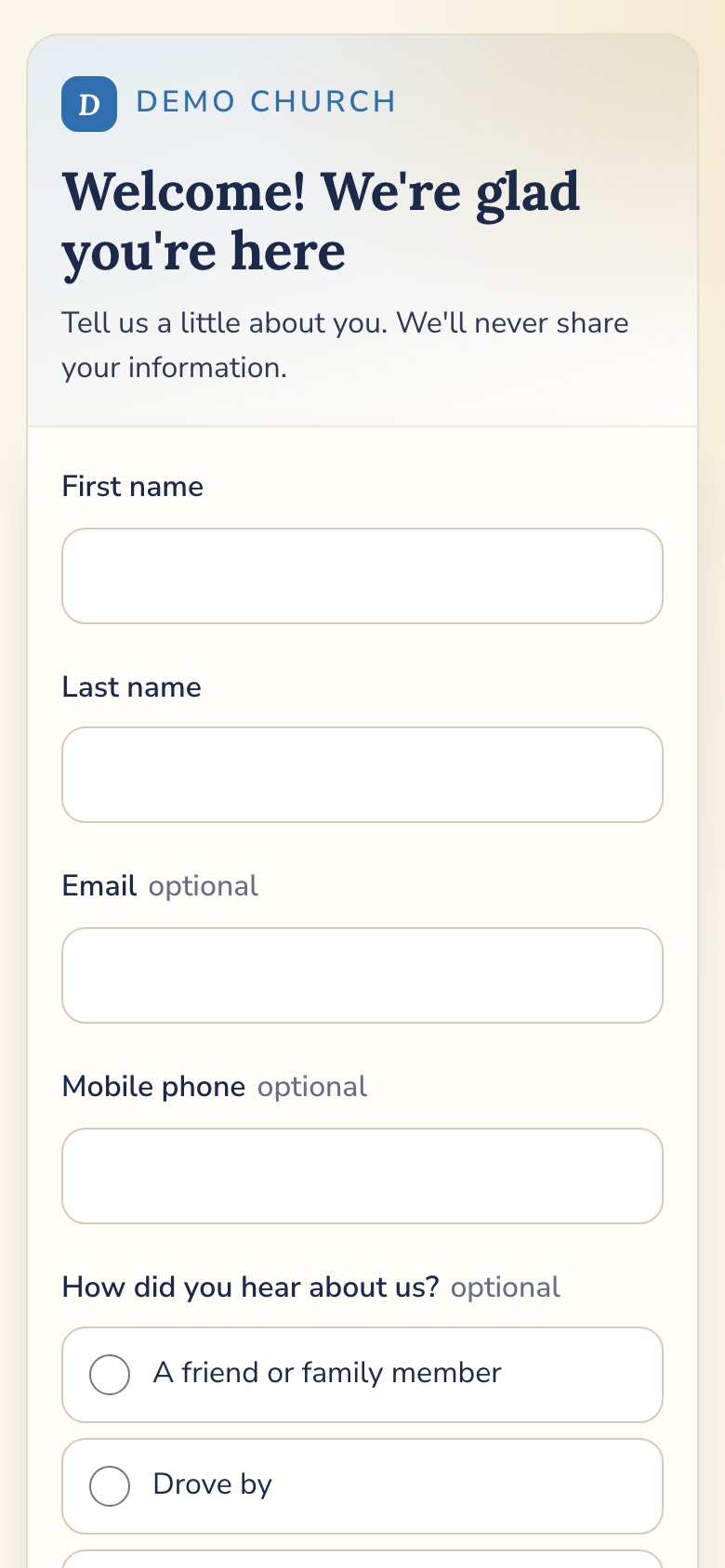
QR visitor welcome.
Print a QR code for the pew, the bulletin, or the screen. A guest scans it on their own phone. No app to install, no account to make.
- A record is created, or matched to someone you already have. Existing information is never overwritten
- An instant thank-you email goes out
- A "First-time guest" card lands with your welcome team
- Build any other form the same way: a prayer request, a class sign-up, a baby dedication. Each gets its own QR code and link
- The form builder works on a phone
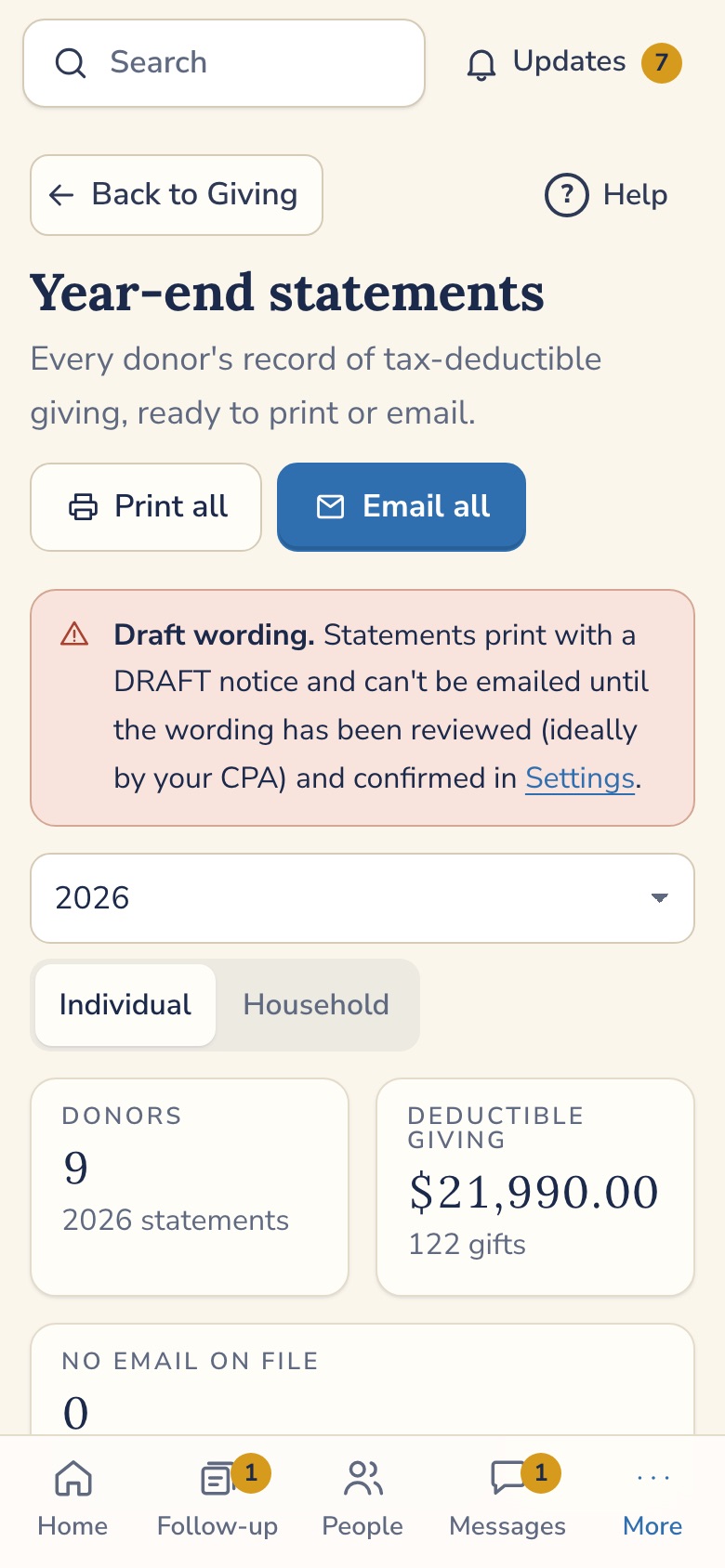
Giving, and statements that cover everything.
Online giving runs through Zeffy. Your church makes its own Zeffy account, with your EIN and your bank account. Chapelbook never touches the money. It reads each gift and puts it on the right person.
- Zeffy charges the church nothing. Donors can choose to leave a tip
- A gift that can't be matched waits in a queue for you to match by hand
- Enter cash and checks in batches, or record an anonymous cash gift
- Funds, and an import from Givelify or Breeze giving files
- Year-end statements for one person or a whole household, with the standard "no goods or services" sentence for gifts to a church
- Members can open their own statements
Honest note. The Zeffy connection has been built and tested against a stand-in, not a live Zeffy account. It gets confirmed with a real payment before a church depends on it. Statement wording is reviewed by a CPA before emailing is switched on.
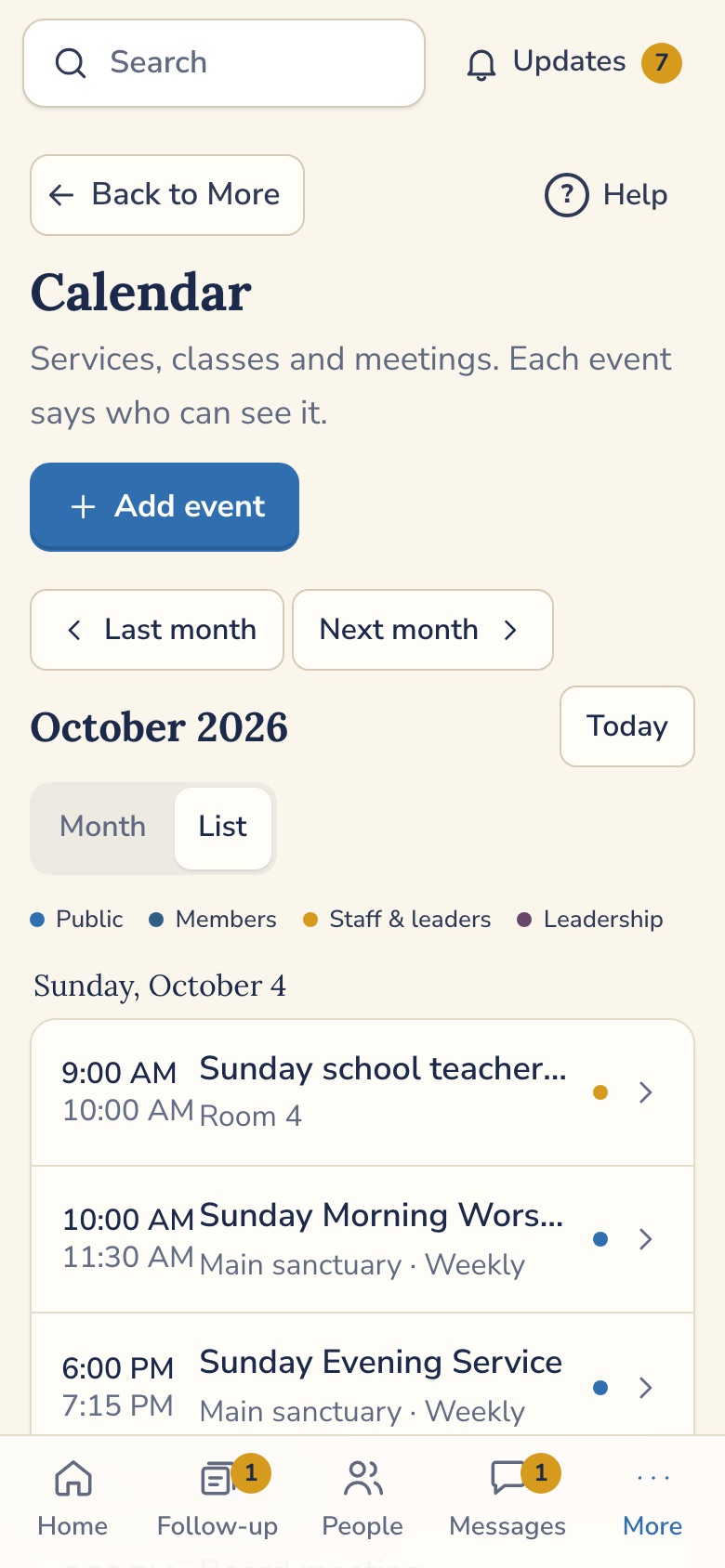
One calendar, four levels.
The Sunday school teachers' meeting shouldn't clutter the public page, and the board meeting shouldn't be seen by everyone. Each event is shown to the group you choose.
- Public, Members, Staff and leaders, or Leadership
- Weekly and every-other-week repeats. "This and future" edits keep the past intact
- Delete is undoable
- A calendar you can embed on your church website, plus public and personal feeds for Apple and Google calendars
Messages, and then texting.
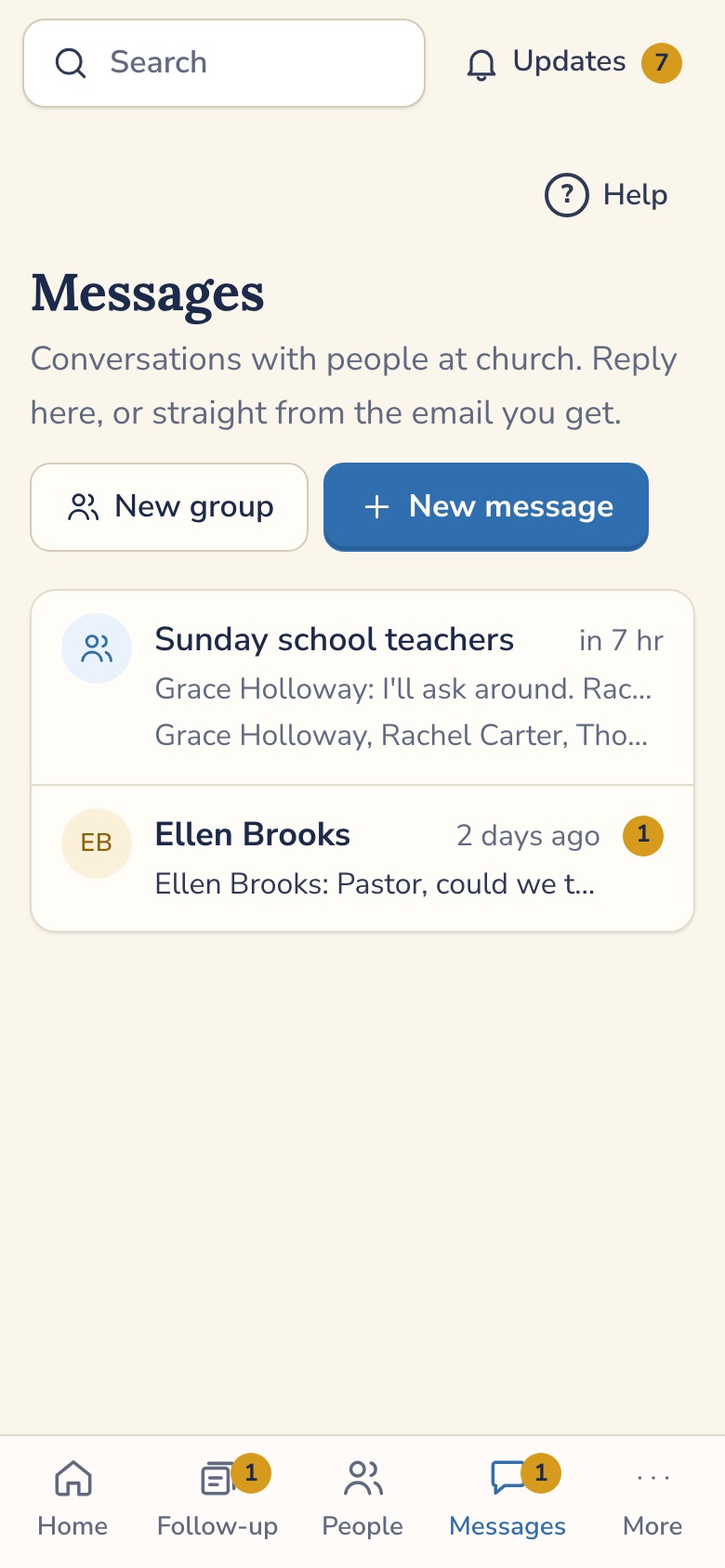
Group and one-to-one threads for the teachers, the greeters and the worship team, inside the app, with push notifications and email. Reply to a message from your email and it lands in the thread.
- Private threads stay private. Even an admin can't read a thread they aren't in
- Reply by email, with quoted text stripped out
Texting, the 500-text plan.
Two-way texting is next. It will run from your church's own local number, not a number shared with other churches. 500 texts a month are included, and replies count toward that. At the limit, texts are held and your admin is told. They are never silently dropped. An optional pack adds $15 per extra 1,000, and it stays off unless you turn it on. Texting needs each church's number to be registered with the carriers, which takes time, so it won't be there on day one.
For comparison: Tithely's help center says Breeze texts are one-way from a shared short code and that members cannot reply, and that texts past 250 a month do not send unless "enable unlimited texts" is ticked.S3
Kids check-in that works with the printer you have.
Check-in is where a church earns a parent's trust, and where printers cause the most grief. The design is built around that.
- A matching security code on the child's tag and the parent's receipt, new for every check-in
- Allergy and medical notes on the child's tag. A do-not-release alert shows in red on the screen and is never printed on a label
- Pickup only for approved people, or a staff override that records who released the child and why
- Labels printed through the device's own print system (AirPrint, Android, Windows, Chromebook), so you aren't keeping a browser tab open for a printer. Label sizes planned for Brother QL and DYMO printers
- A warning when a room has fewer than two screened adults
- Children are records managed by their parents. No child logins
For comparison: Tithely's printer guide says Breeze label printing needs DYMO software on a computer or a "Print Station" with a browser tab kept open, and that Chromebooks can't print tags.S4
What a tag will carry
Illustration of the planned tag with made-up details, not a screenshot.
And the everyday things.
People and households
Families, custom fields, milestones such as baptism and membership, tags, and archive and restore. Notes can be limited to leaders, staff, or the pastor.
Member self-service
Members update their own profile, choose what appears in the directory, and see their own giving.
Attendance and reports
Headcount or named roster from a phone. Thirteen ready reports with CSV. A "hasn't been in for a few weeks" card starts a follow-up for you.
Roles that make sense
Pastor or admin, staff, leaders, members, and a separate finance permission. Enforced in the database, not just hidden on the screen.
Import and export
Import from Breeze with column matching, a preview, and one-click rollback. Export everything, any day.
An app, without the app store
Install it to your phone's home screen from the browser. Same app for staff and members.