Easy for your volunteers.$59 a month.
Chapelbook keeps your people, follow-up, giving, calendar and messages in one app, built so a volunteer can pick it up without a training day. Big buttons, plain words, a Larger text setting, and Undo for the wrong tap.
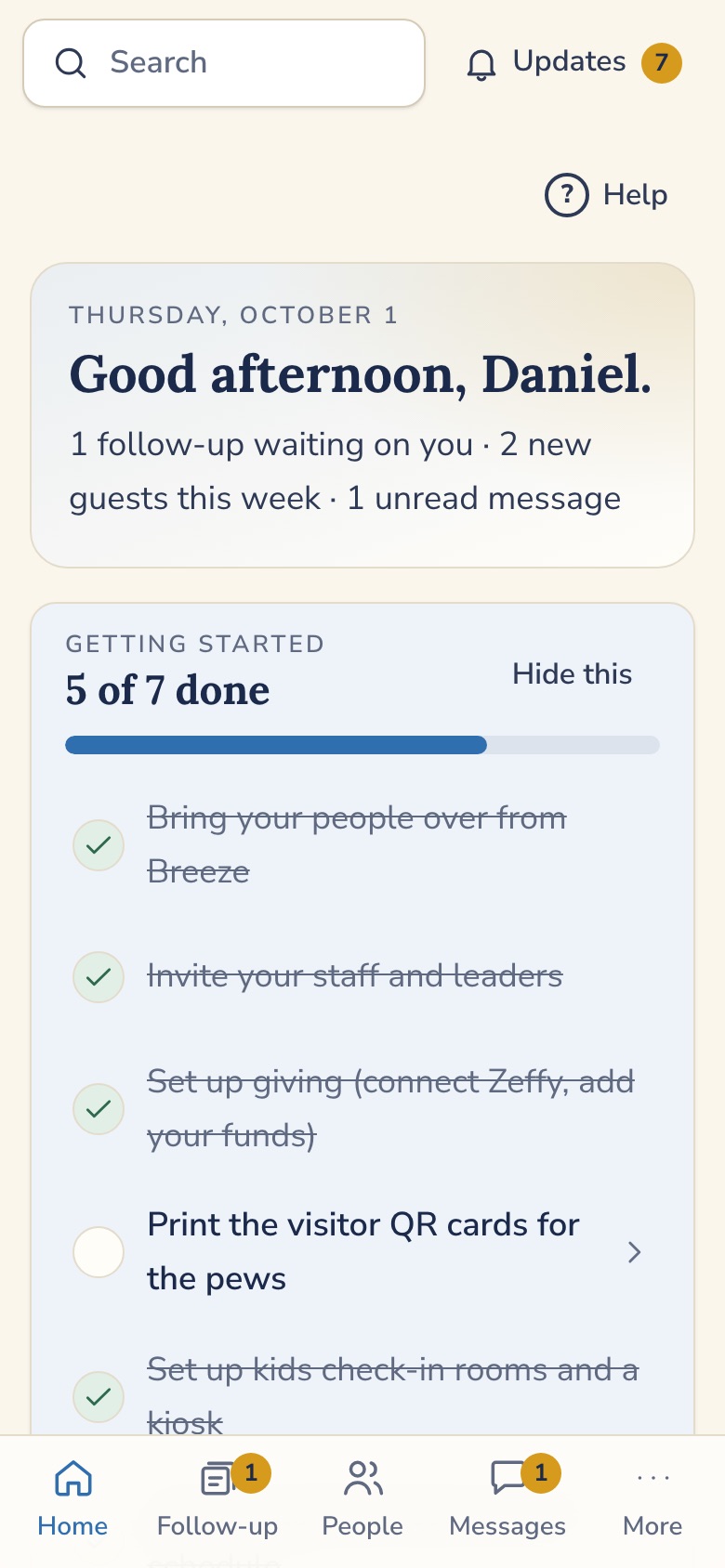
Made for volunteers.
Big buttons and a Larger text setting. A search bar that understands plain words. Undo for the wrong tap, and follow-up you can send back a step, with a reason. Nothing is lost.
A month. That's it.
One price for every church. People, follow-up, giving, calendar, messages, reports. No tiers, no add-on app. Breeze, now called Tithely Church Management, lists $72 a month.1
Of online giving.
Giving runs through Zeffy, which charges the church nothing. Your church receives the full gift. Donors may choose to add a separate tip to Zeffy.2
1. Breeze Church Management is listed at $72 per month on breezechms.com/pricing (checked Oct 1, 2026). Breeze is now called Tithely Church Management.
2. Zeffy says it charges nonprofits 0% and is supported by optional donor tips (zeffy.com/pricing). Your church creates its own Zeffy account with its own bank account.
From set-up to a Monday follow-up.
Four moments in the life of your church, in the order they happen.
-
Before the first Sunday
Bring your people over.
Chapelbook imports your Breeze export, shows you what will happen before anything changes, and lets you roll the import back. We go over your totals with you before you cancel Breeze.
-
Sunday morning
A QR code on the pew.
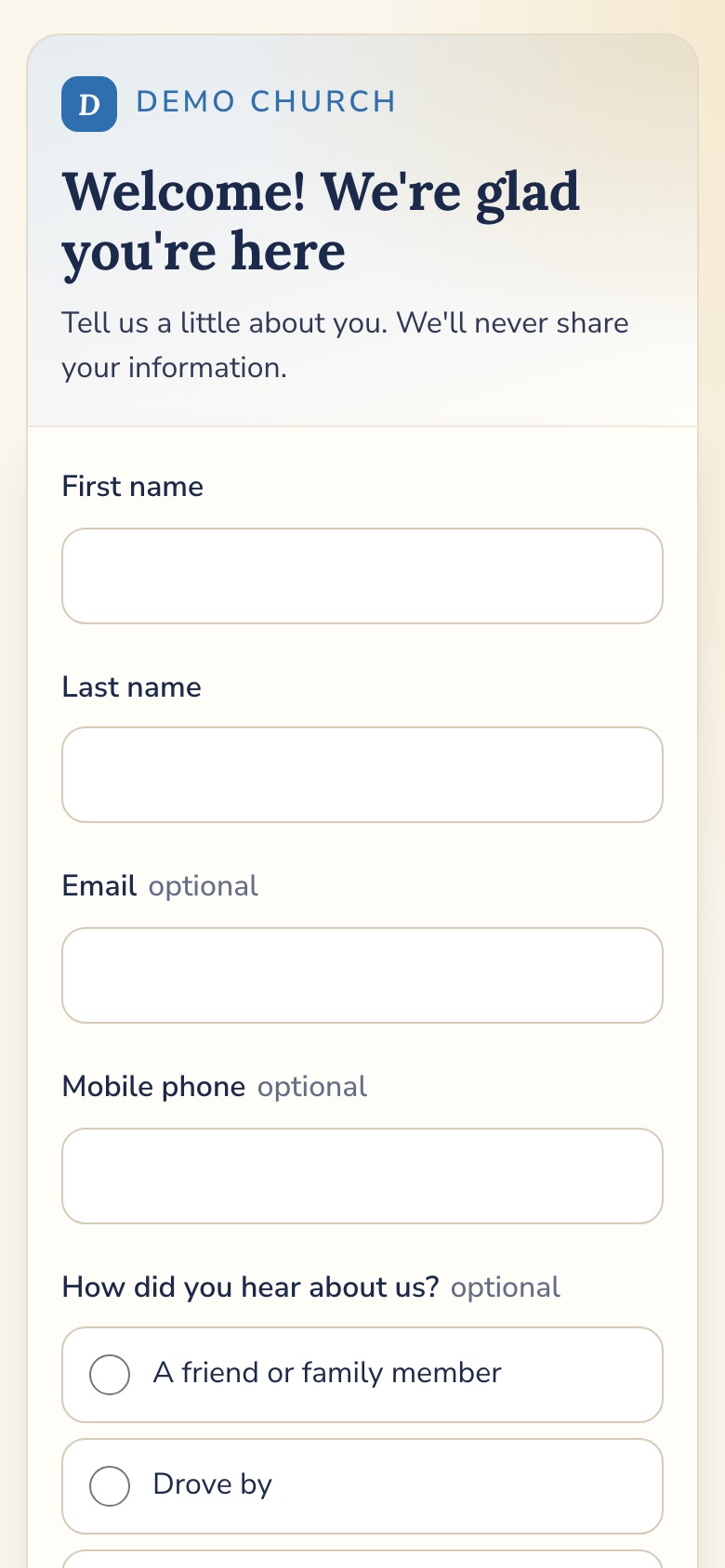
A guest scans, types their name, and is done. Chapelbook creates their record, sends a thank-you email right away, and starts a follow-up card for your welcome team.
-
Monday
Someone has the next step.
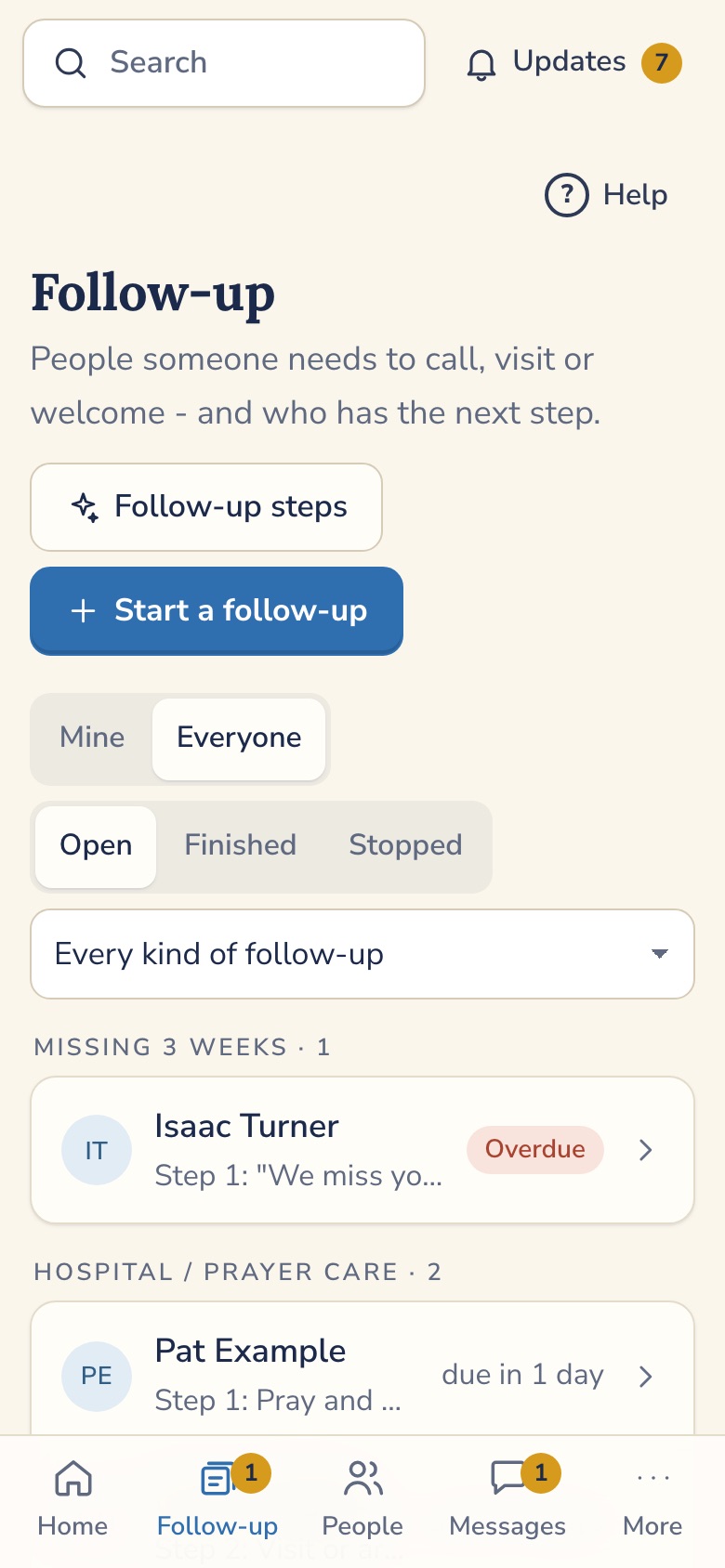
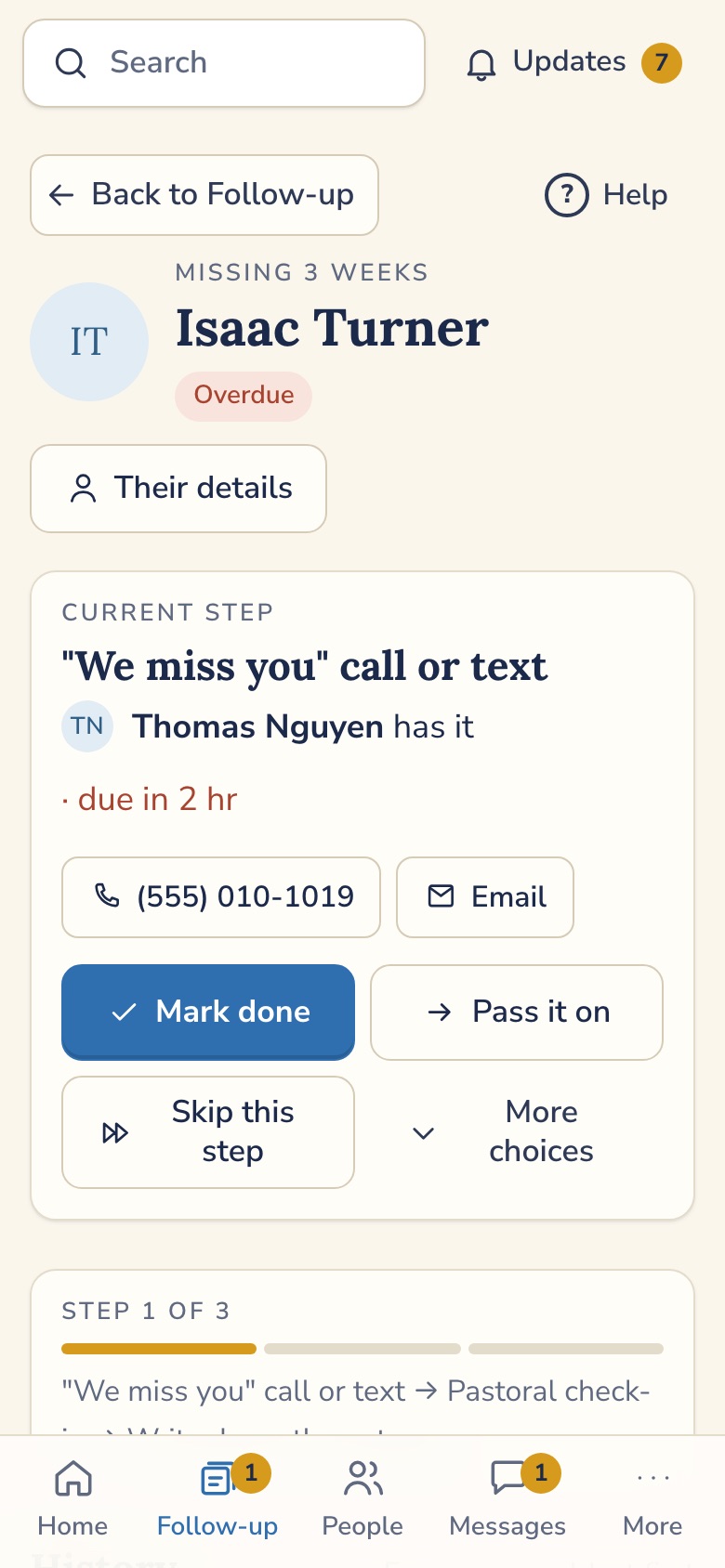
Someone calls on Monday. If they can't, it passes to the next person on the list. If it gets stuck, the pastor hears about it.
-
Every week
Gifts find their person.
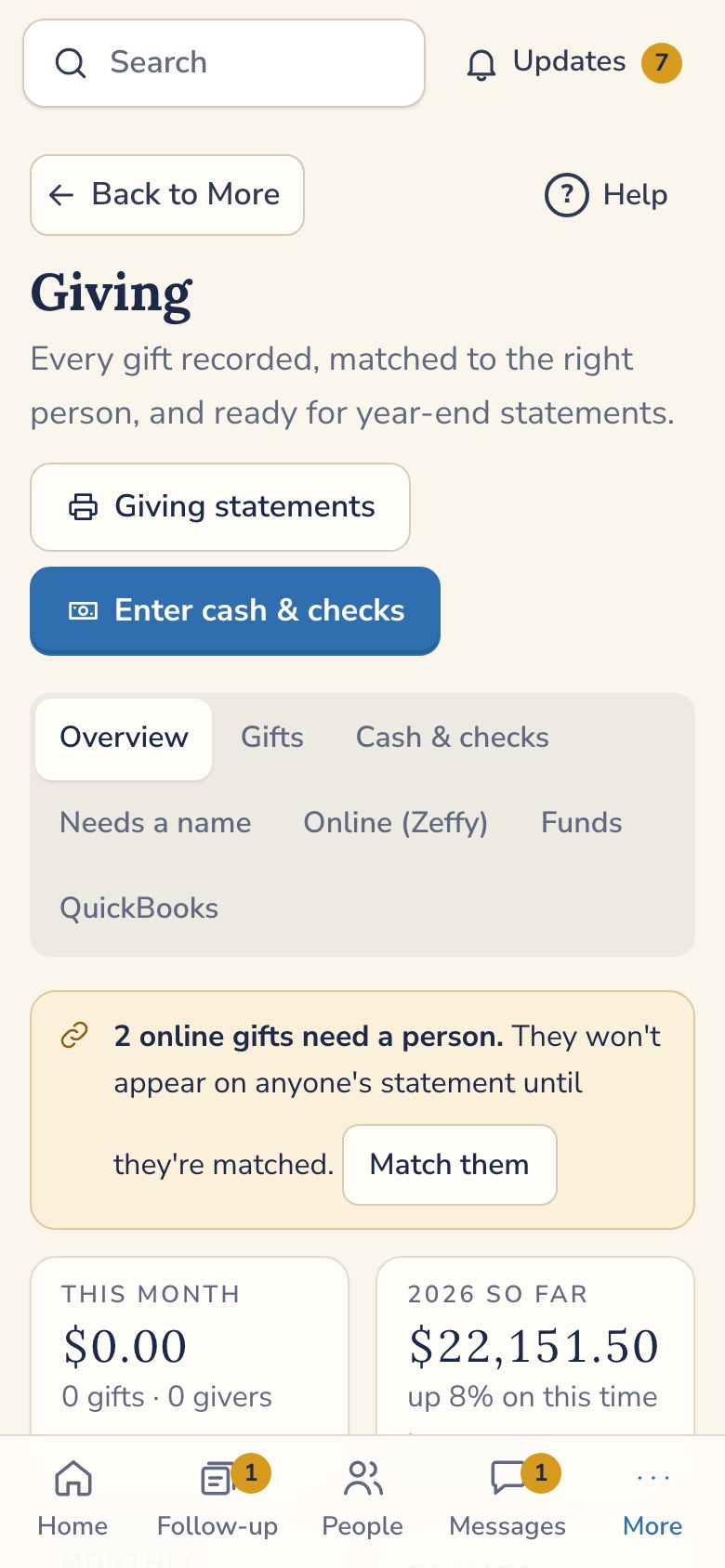
Online gifts go through Zeffy, and Chapelbook matches each one to a person when it can. A gift it can't match waits for you to sort out. At year end, one statement covers all of it.
Don't take our word for it. Try it.
Pick who you'd be on a Sunday morning, and tap the button. You land inside a made-up church, signed in. No sign-up and no password.
Pastor
Everything in the church, including Giving. The demo giving PIN is shown on the screen.
Open the app →Treasurer
Gifts, deposits and statements. The part only the person who handles giving can see.
Open the app →It is all pretend. The church, the people, the addresses and the amounts are made up. No email or text is ever sent. It resets every hour.
Other visitors may be trying the same login, so you might see what someone else just changed until the next reset. A few things are switched off in the demo: photo uploads, changing logins or church details, and deleting an account. Messages are limited to 500 characters. If it asks you to try again in an hour, a lot of visits came from your connection. Each button opens the app in a new tab.
Every person on a path. Every step with a name on it.
A first-time guest comes Sunday. Someone calls on Monday. If they can't, it passes to the next person on the list. If it gets stuck, the pastor hears about it.
- Pass it to the next person, skip it, or send it back to any earlier step
- Notes travel with the person, so nobody starts cold
- Undo your last move for 10 minutes
- A live lobby board for a tablet on Sunday morning
Your church keeps what your church is given.
Online gifts go through Zeffy, and Chapelbook matches each one to a person when it can. A gift it can't match waits for you to sort out. Cash and checks go in by hand. At year end, one statement covers all of it, for a person or a whole household.
The Zeffy connection is confirmed with a real payment before a church depends on it.
A QR code on the pew. A welcome in a minute.
A guest scans, types their name, and is done. Chapelbook creates their record, sends a thank-you email right away, and starts a follow-up card for your welcome team. It never overwrites someone you already know.
The rest of Monday morning, handled.
People and families
Households, custom fields, and a member directory people choose to join. Notes have privacy levels, and pastoral notes are visible to pastor and admin accounts only.
Calendar, four levels
Public, members, staff and leaders, or leadership only. One calendar, shown to the right people. Embed it on your website.
Messages
Group and one-to-one threads for teachers and teams. Push and email, and reply by email.
Attendance and reports
Headcounts or names, thirteen ready reports, and a "hasn't been in a few weeks" card that starts itself.
Forms with QR codes
Build a form on your phone. Every form gets a link and a printable QR code.
Your data stays yours
One-click export of your church's data, any day. Sign-in details and integration keys are left out. Each church's data is kept separate from every other church's.
Coming next Two-way texting, available only after carrier registration.. See the features page for what is built and what is on the way.
Breeze is becoming Tithely Church Management.
Tithely says it is folding Breeze into its new platform and moving churches in phases. If your church is being moved anyway, this is a good time to ask whether you want something simpler. Chapelbook imports your Breeze export, shows you what will happen before anything changes, and lets you roll the import back. We go over your totals with you before you cancel Breeze.
Want to be one of the first churches?
Chapelbook is built and in testing, and we are launching with founding churches. Tell us about your church and we'll write back personally.